Motorola Hello UI Android 17 Update: Eligible Devices, Release Date, and Features
Summary
- Motorola's Hello UI is known for offering stock Android experience with added features
- Android 17 update on Motorola phones is coming this year
- It will bring new AI features, a refined desktop mode, bubbles for multitasking and more.
Motorola’s Hello UI is one of the few skins that offer the stock Android experience without the barebones feel. With Android 17 set to release this summer, Motorola phones are also getting a major upgrade. From a refined Desktop Mode to bubbles for multitasking, here’s everything you need to know about the Motorola Hello UI Android 17 update.
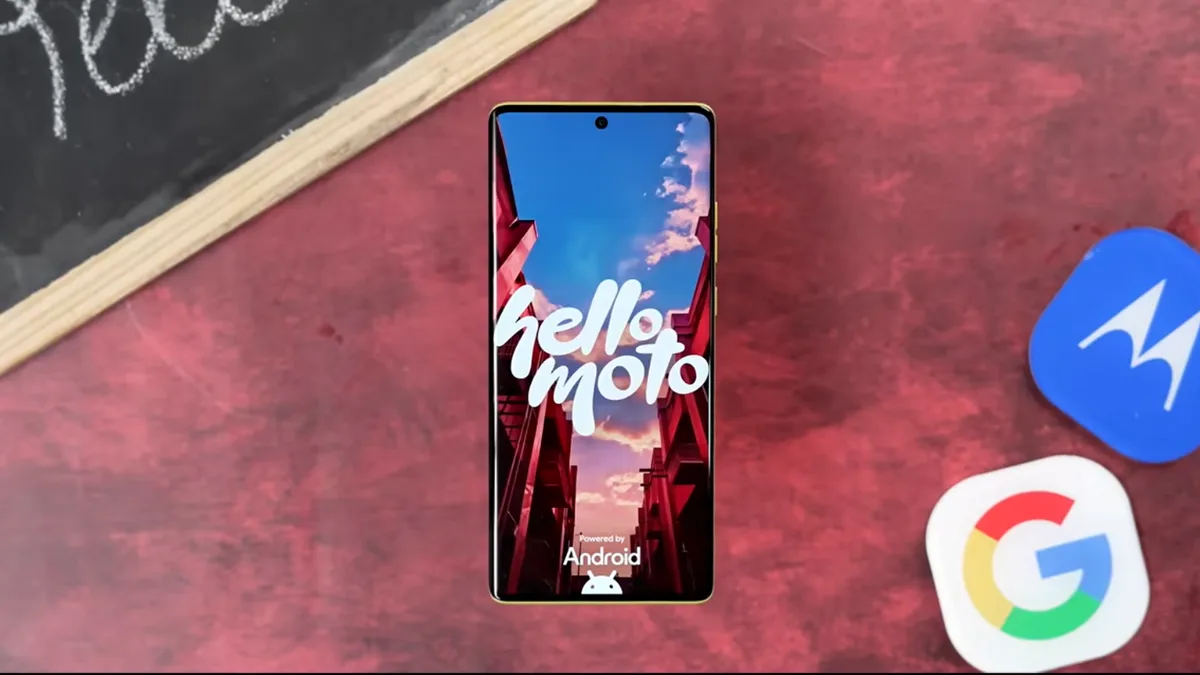
Motorola Android 17 Update Features
Note: Motorola Hello UI Android 17 update is currently under closed beta testing with non-disclosure agreements. We don’t know the exact features yet, so below are the expected changes that will arrive with the Android 17 update.
1. Improved Desktop Mode
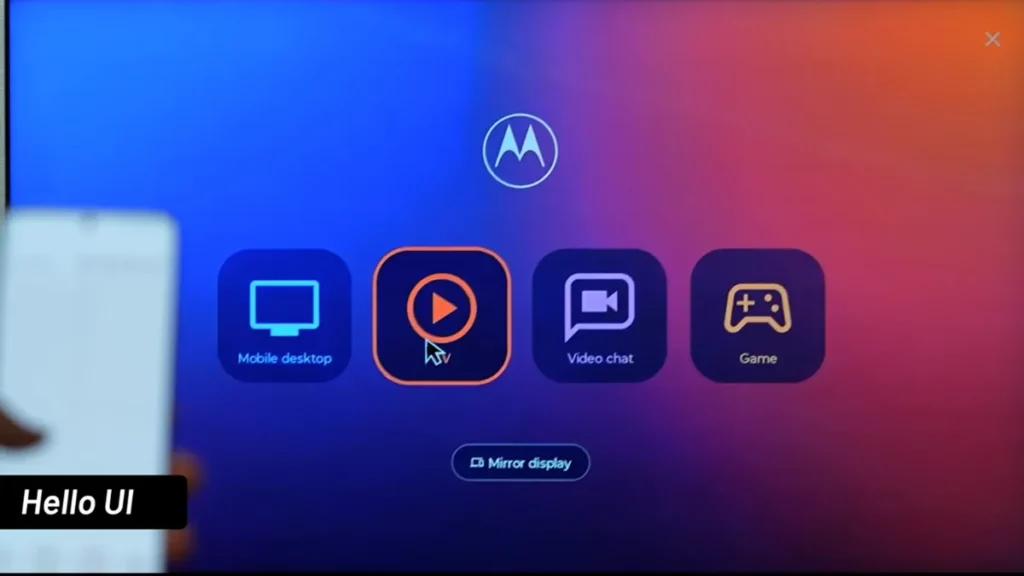
Just like Samsung Dex, Moto phones have a dedicated desktop mode called Smart Connect. You need to connect your phone to an external monitor or TV to get a desktop-like layout. With Android 17 getting a native desktop mode, Smart Connect in Motorola Hello UI will only get better. It could be available for foldables and tablets without an external display. We could even see mid-range phones getting the feature, although I wouldn’t hold my breath for it.
2. Enhanced Theft Protection
Motorola Hello UI update based on Android 17 will introduce better theft protection. So if your phone gets stolen and someone resets it, they will need to reauthenticate it with your account to complete the setup process. In short, the phone will be rendered useless until they log in with your Google account.
3. Contact Picker For Privacy
Don’t want to give third-party apps access to all your contacts? This is where the Contact Picker feature in the Motorola Android 17 Hello UI update can come in handy. You can now choose to share only select contacts with third parties instead of handing over your entire contact book. This will help protect your privacy by letting you choose the contacts with whom you wish to share.
Also Read:
- ColorOS 17 Update: Eligible Devices, Features, and Release Date
- Samsung One UI 9 Update: Eligible Devices, Features, And Release Date
- Android 17 Update On Google Pixel: Eligible Devices, Features, And Release Date
- OxygenOS 17 Update: Release Date, Eligible Devices, and Features
4. Bubbles for Multitasking
Moto users must be familiar with freeform, which lets you open apps in resizable floating windows. With the Motorola Android 17 Hello UI update, we could see new bubbles for multitasking. Introduced by Google in Android 17, these let you open apps in floating bubbles and easily switch between them.
5. Native App Lock
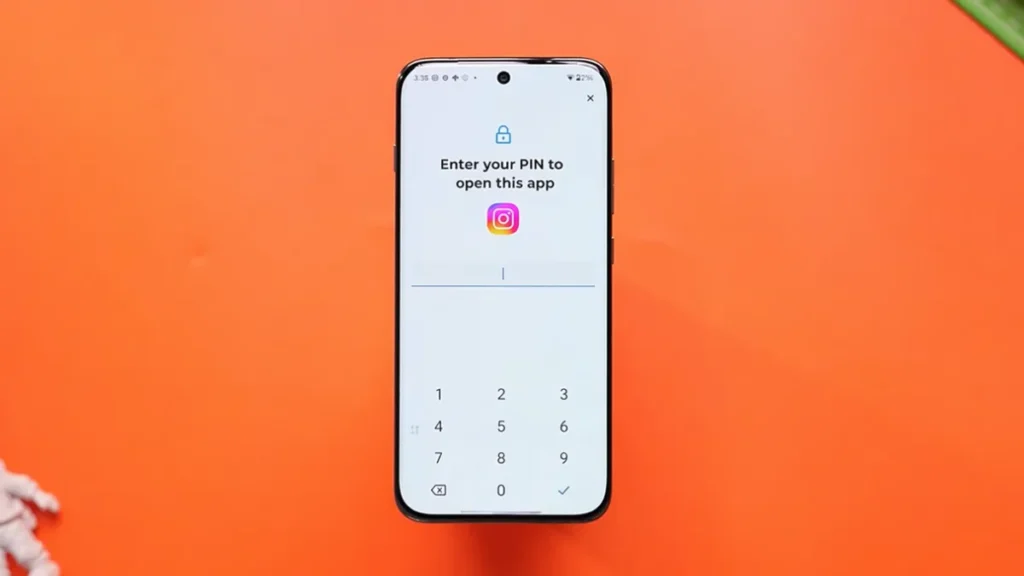
Moto phones have an app lock feature, but it’s limited to select Edge series phones. While Moto Secure is present in most phones, it hides your apps from the app drawer and uses a single password for all apps. With the Android 17 update, Motorola could implement Google’s native app lock feature, offering better security to all users. This will hide app notification contents from the lockscreen and notification shade.
6. Liquid Glass
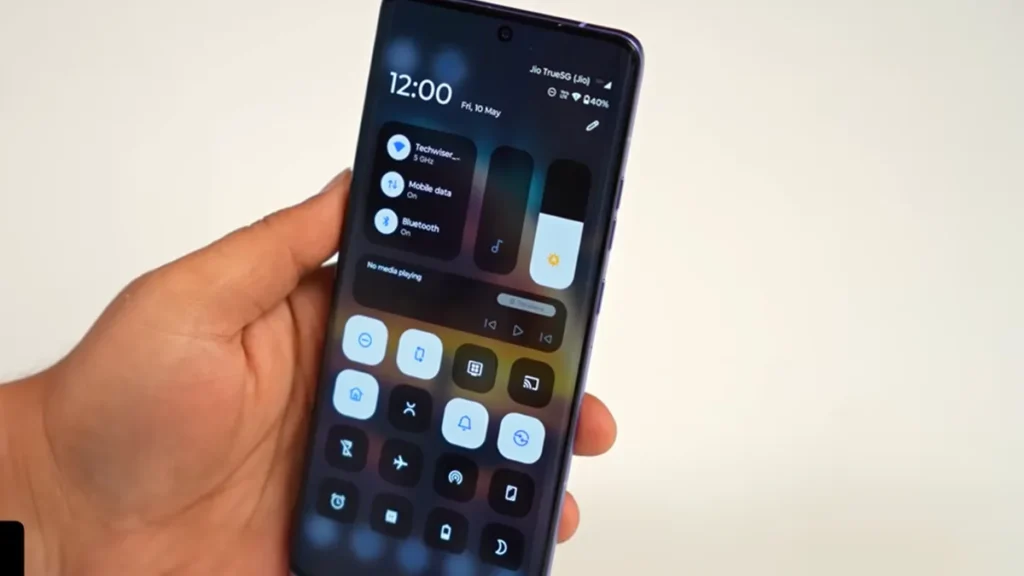
With the Motorola Android 17 update, we could get a translucent design, bringing it one step closer to Liquid Glass. With Google officially adopting liquid glass in the Android 17 update, we could see Moto shift towards this design.
7. Performance And Bug Fixes
Android 17 brings a new App Memory Limits feature to set limits for apps based on the total RAM. This will improve performance and prevent apps from consuming all the RAM. Also, camera lags and other stutters should be reduced drastically. The Motorola Hello UI update based on Android 17 will be smoother and could also bring new AI features to the table.
Motorola Android 17 Update Eligible Devices
Motorola’s Hello UI update based on Android 17 isn’t just limited to flagship phones. In fact, it’s coming to everything from the flagship Signature to the mid-range Edge and G series. Here are all the devices eligible for the upcoming update:
| Series | Models |
|---|---|
| Signature Series (Flagship, Upto 7 years of Updates) | Moto Signature |
| Razr Series (Flagship, 3 years of OS updates) | Moto Razr 50, Moto Razr 50 Ultra,Moto Razr 60, Moto Razr 60 Ultra, Moto Razr 70 |
| Edge Series (Mid-Range, 3-5 years of OS updates depending on model) | Moto Edge 50 Fusion, Moto Edge 50 Neo, Moto Edge 50 Pro, Moto Edge 50 Ultra, Moto Edge 60, Moto Edge 60 Fusion, Moto Edge 60 Pro, Moto Edge 60 Stylus, Moto Edge 70 Fusion, Moto Edge 70, Moto Edge 70 Pro |
| G Series (Budget, 1-2 years of OS updates) | Moto G56, Moto G57, Moto G57 Power, Moto G67, Moto G75, Moto G77, Moto G86, Moto G86 Power, Moto G Power (2026), Moto G Play (2026) |
| Pad Series | Moto Pad 60 Neo |
Motorola Android 17 Update Release Date
Motorola’s Hello UI update based on Android 17 is expected to roll out in August 2025. This will be for flagship products like the Razr series and Signature. However, for the rest of the lineup, you might need to wait until October-November 2026. Budget phones in the G series might need to wait till early 2027. Given Motorola’s track record of slow updates, don’t be surprised if the timeline extends well into mid 2027.
Motorola Android 17 Update Beta
Motorola is one of the few brands to have announced a beta Android 17 update for its phones. Interestingly, the Android 17 beta for Moto phones is not just limited to flagships but is coming to mid-range and budget phones as well. Do note that the beta is currently available for users in India, the US, Europe, Latin America, and Brazil.
| Series | Models |
| Signature Series | Motorola Signature |
| Razr Series | Razr 50 Ultra, Razr 60 Ultra |
| Edge series | Edge 60 Pro, Edge 50 Ultra |
| G Series | G Power 5G (2026), G Stylus, G Play (2026), G57, G57 Power |
If you are using an eligible Motorola phone, here’s how you can install the Android 17 beta update:
- Head over to the Motorola Community website and log in with your account
- Update the details for your phone, such as the IMEI number or the serial number.
- In the community profile section, opt in for MFN.
- Now visit the MFN Beta Testing Opportunity page and check whether an MFN is available for your device.
- Tap on the MFN Beta Testing button and fill in your registration details
- Check your email if you have received an approval.
- Once approved, wait for some time and head over to Settings->Software Update on your device and check whether an OTA is available.
Note: Since these beta updates often contain bugs and issues. Some features might not work as intended, so it’s not advisable to install it on your primary device.
FAQs
1. When is Motorola Hello UI based on Android 17 coming out?
Android 17 update for Motorola devices is expected to roll out in August-September of 2026
2. Is Android 17 beta out for Motorola phones?
Yes, the Android 17 Beta is currently available for select Motorola phones in the Signature, Razr, Edge, and G series.
3. What’s new in the Android 17 update for Motorola phones?
While nothing is official yet, we can expect features like Desktop Mode, Bubbles for multitasking, and more with Motorola’s Android 17 update.