Nothing OS 5.0 Update: Eligible Devices, Features, and Release Date
Summary
- Nothing OS is one of the few software skins that offers stock Android like feel with added features
- Nothing OS 5.0 update based on Android 17 is just around the corner
- From new AI features to split quick settings, here's everything coming with Nothing OS 5.0
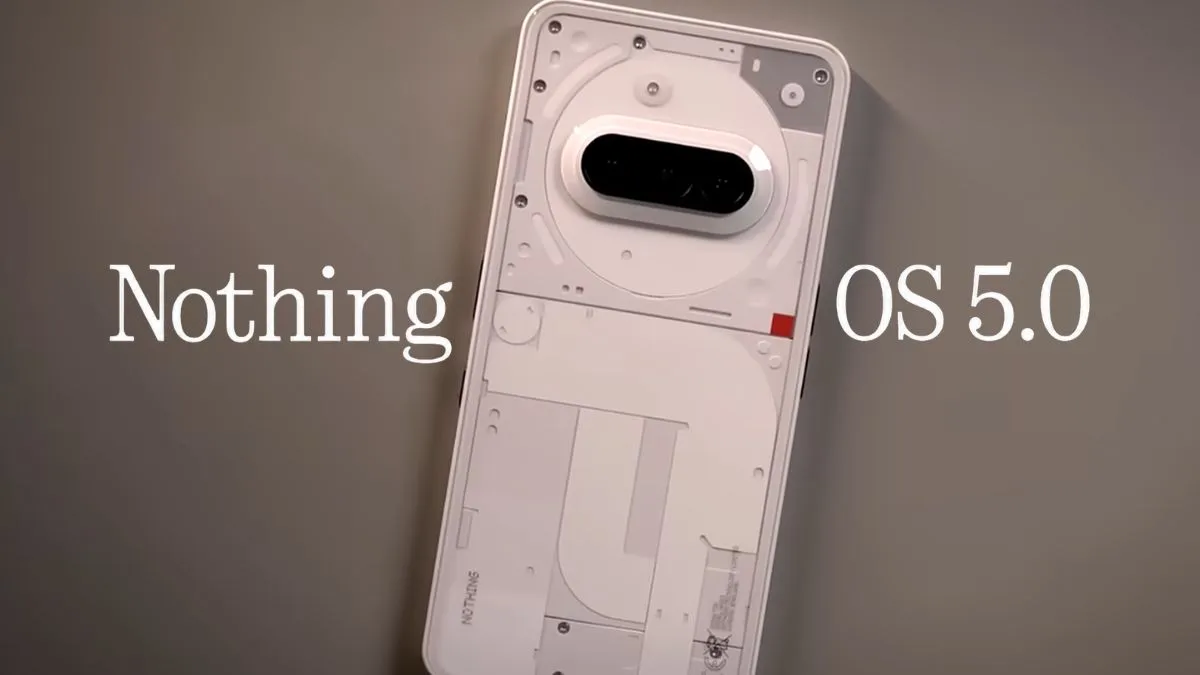
If you are in the market for a stock Android-like experience, Nothing OS is one of the few OS skins that comes to mind. Not only does it look minimalistic, but it also offers some cool software features. With the Nothing OS 5.0 update, the company could drastically shake things up. From bubbles for multitasking to new AI features, here’s everything coming with the Nothing OS 5.0 update.
Nothing OS 5.0 Update Features
Note: Since Nothing hasn’t even released the beta for Nothing OS 5.0, we can only speculate on the changes based on what’s coming in the Android 17 update.
1. New AI Features
AI is likely to be at the center stage of the Nothing OS 5.0 update, with Carl Pei betting heavily on AI agents to replace third-party apps. With Nothing recently revealing its Essential Voice, an AI-powered voice-to-text feature, we can expect to expand on these features. Perhaps we could get a taste of agentic AI that could perform simple tasks, as Carl teased.
2. More Nothing Playground Features
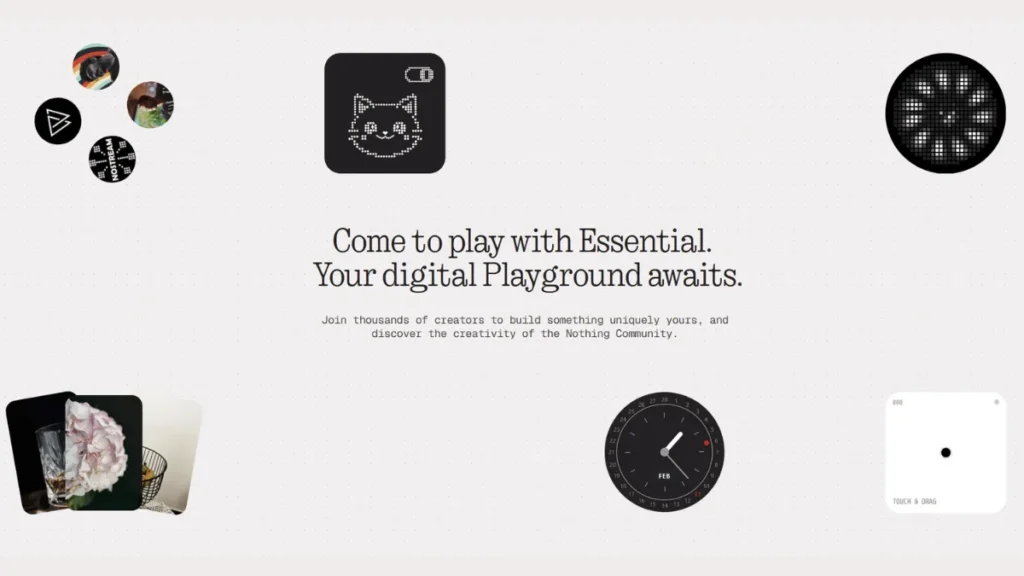
Earlier this year, Nothing introduced its Playground feature that lets users build their own apps without requiring them to learn coding. You simply type out what you want, and the Playground does the rest for you. Currently, it only supports a limited set of permissions, such as location, calendar, and contacts. Nothing could expand this permission list, allowing users to build more than just simple widgets. Not just that, we could see support for custom app icons, audio, and fonts. Currently available on a handful of phones, Nothing could bring to its entire lineup with Nothing OS 5.0
3. Bubbles For Multitasking
While Nothing offers a pop-up view that lets you open apps in a floating window, just like other Android skins. But with the Nothing OS 5 update, you could open apps in floating bubbles, unlocking a new level of multitasking. Since Google has implemented it natively in Android 17, it’s highly likely to debut soon.
4. Better Animations and Split Quick Settings
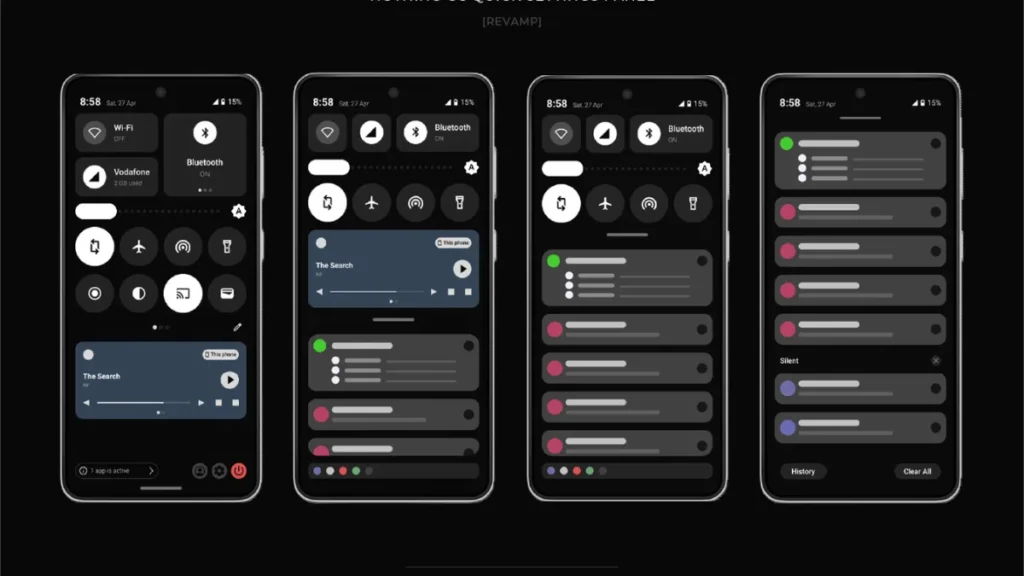
Nothing has been one of the few Android OEMs to stick to a single quick settings panel. But with the Nothing OS 5 update, this could soon change as the company could shift to a split notification and quick settings layout. Swiping from the left will give you access to notifications, while swiping from the right opens up the notification panel. Another area where Nothing could improve is the animations, as Nothing still falls behind OxygenOS and OneUI in terms of smoothness.
6. Improved Lockscreen Customization
Nothing OS 5.0 could finally allow users to take the lockscreen to the next level. This could mean you adjust the size of the clock, add your own text, or apply effects similar to OxygenOS. Another change could be lockscreen widgets. While Nothing lets you add widgets to the lockscreen, you can now add multiple pages of widgets instead of just a group.
Also Read:
- Android 17 Update On Google Pixel: Eligible Devices, Features, And Release Date
- OxygenOS 17 Update: Release Date, Eligible Devices, and Features
- Samsung One UI 9 Update: Eligible Devices, Features, And Release Date
- Motorola Hello UI Android 17 Update: Eligible Devices, Release Date, and Features
7. Improved Live Updates
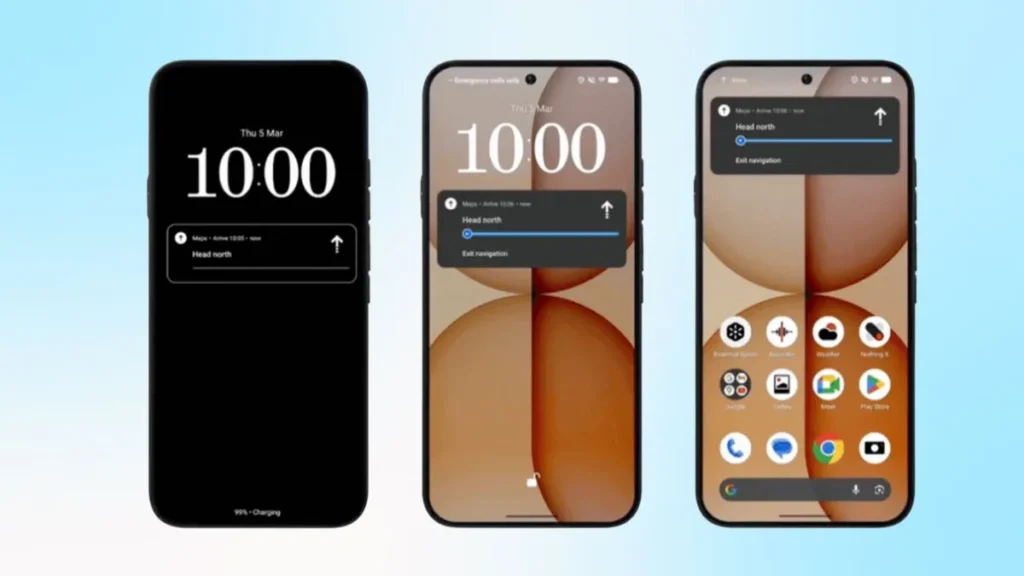
Live Updates could get improved with Nothing OS 5.0. With the feature getting native implementation in Android 17, we could see live updates about food deliveries and cab rides in the notification panel and lock screen. While Nothing phones already have the feature, it’s only available in Phone (4a) series and works in selected apps like Uber, Zomato, Just Eat, and Google Maps.
8. Improved Performance
Since Nothing OS 5.0 is based on Android 17, it will offer improved performance. With Generational Garbage Collection, Android 17 clears CPU overhead for memory management, resulting in better performance in higher RAM variants. This means apps should be in memory for longer, and app opening/closing times should be reduced.
9. Nothing Warp
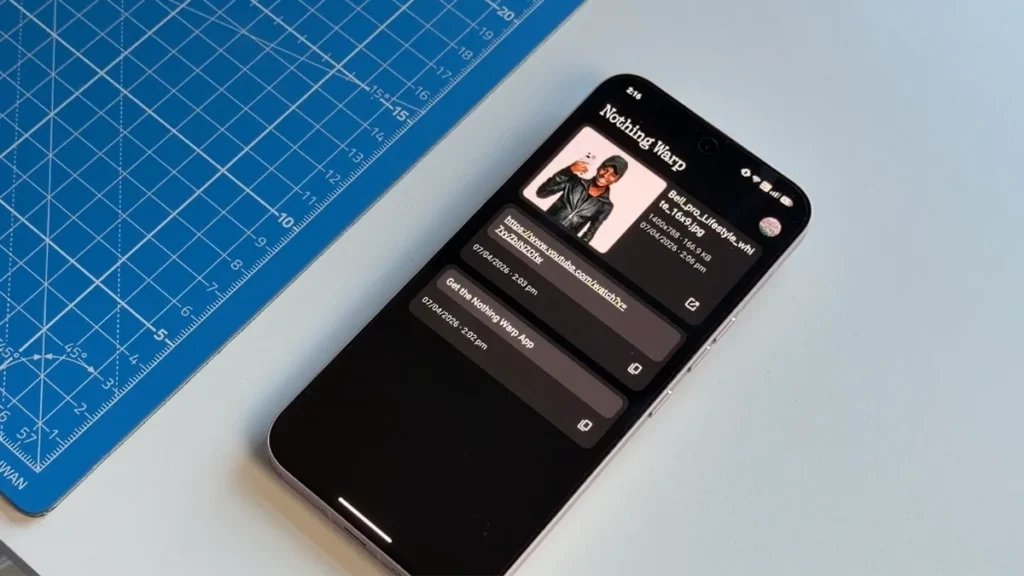
Nothing recently unveiled Nothing Warp, a cross-platform file sharing tool that works across Android, macOS, Windows, and Linux. You can share files, links, text, and images between your computer and phone. It uses Google Drive to transfer files, and you need to install the extension on your browser. While it was initially available on the Play Store and later removed for “technical finetuning”. It is now available in beta for the community and could be natively integrated into the Nothing OS 5.0 update.
10. Desktop Mode
Google is finally adding a native desktop mode to Android 17, paving the way for OEMs like Nothing to implement it in their skins. Motorola and Samsung already offer a dedicated desktop mode for multitasking. With a desktop mode, you could connect your Nothing phone to an external monitor, and you’re good to go. But there’s a technical limitation, as Nothing phones have a USB 2.0 port, which could bottleneck the experience.
11. Improved Customization
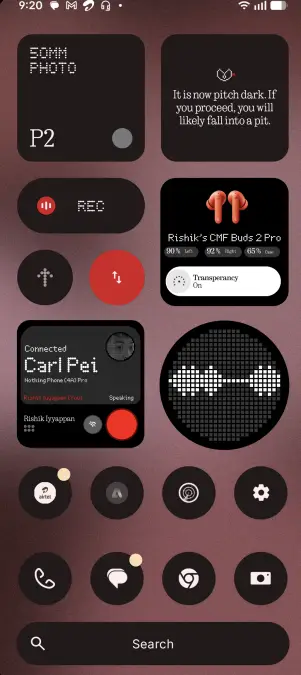
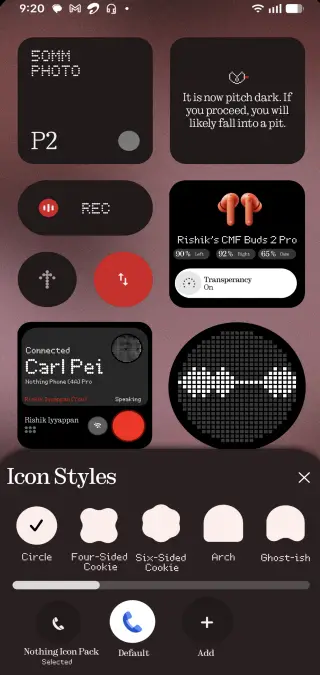
Another change expected with Nothing OS 5.0 is more customization options. Nothing might let users change the icon shapes, use custom icon packs, and even adjust the size of these icons like other software skins. We could also see new widgets, the ability to force dark mode in third-party apps, and more.
12. Other Changes
Android 17 isn’t just a number change, as there are plenty of minor yet significant changes. Some of these new features include native controller support for playing games, cross-device continuity, letting you sync notifications, calls, and app data. Performance will also be improved with better RAM management and a new location button for better privacy.
Nothing OS 5.0 Update Eligible Devices
Although nothing is official yet (pun intended), we expect the following Nothing phones to get the Android 17 update. Sadly, a few phones like the Nothing Phone (2), CMF Phone (1), and the Nothing Phone (1) won’t be making the cut. These phones have reached the end of the road in terms of software support. So if you want to enjoy Nothing OS 5.0 based on Android 17, you will need to upgrade to these phones:
| Series | Models |
|---|---|
| Number Series | Phone (3) |
| A Series | Phone (2a), Phone (2a) Plus, Phone (3a), Phone (3a) Lite, Phone (3a) Pro, Phone (4a), Phone (4a) Pro |
| CMF | Phone (2) Pro |
Nothing OS 5.0 Update Release Date
Nothing OS 5.0 update based on Android 17 will arrive later this year. While we don’t have the exact timeline, the beta for Nothing OS 5.0 is likely to go live in August-September of 2026. This is right after Google releases the stable version of Android 17 in July. Given that Nothing has only a handful of devices to update compared to other OEMs, the rollout should be relatively faster.
FAQs
1. When Is Nothing OS 5.0 Coming Out?
Nothing OS 5.0 is expected to be released in August-September 2026, after Android 17 stable version is out.
2. Is Nothing OS 5.0 Beta Released?
No, Nothing hasn’t released the Nothing OS 5.0 beta for Android 17 yet.
3. What are the expected features of Nothing OS 5.0 Update?
Nothing OS 5.0 will bring new AI features, a desktop mode, and improved customization options