Samsung One UI 9 Update: Eligible Devices, Features, And Release Date
Summary
- Samsung's One UI is one of the best Android software skins out there.
- One UI 9 update will take it to the next level with features with new AI features and improved security.
- Here's everything coming to your Samsung phone with One UI 9 update.
Update: We last updated this article with new One UI 9 features on May 14, 2026
Samsung’s One UI has long been the undisputed GOAT of Android skins, packing more customization than most users know what to do with. But Samsung is not done yet. One UI is about to get better with the upcoming One UI 9.0 update. From improved Now Nudge to the new Tap to Share feature, here’s everything coming with the One UI 9 update.
One UI 9 Update Features
1. Customizable Quick Panel
One UI 8.5 introduced new customization options for the Quick Panels, and One UI 9 is taking it a step further. You can now change the size of the brightness slider and the volume panels as well. You can also choose to separate the display and sound modes using these sliders.
2. Floating Bubbles
One of the biggest changes in Android 17 is the ability to open in floating bubbles. While Samsung users already had multi-window for a while now, bubbles seem like a much cooler way to multitask. You can now not only open multiple bubbles but also swipe them aside, just like those floating windows.
3. Now Nudge
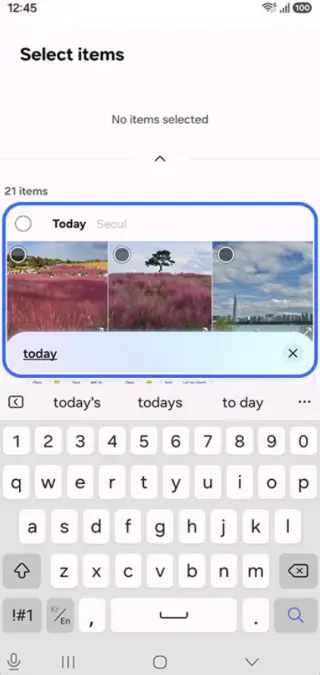
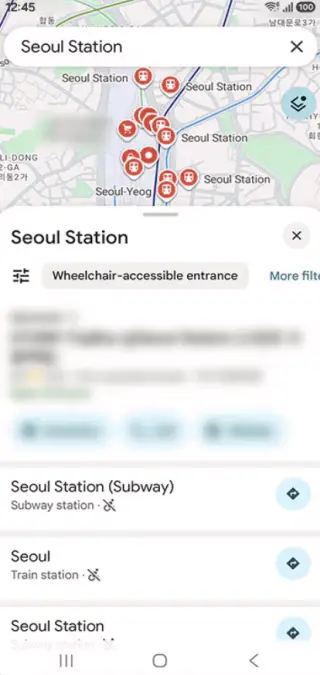
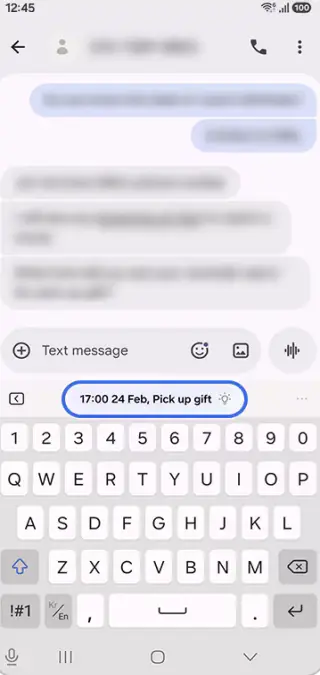
Samsung introduced Now Nudge with the Galaxy S26 series. It works just like Google’s Magic Cue feature and provides suggestions based on what’s happening on your screen. For instance, if a friend asks you to share photos from last night’s party, it can suggest those photos from the gallery. With One UI 9, Now Nudge is getting better. It now supports flights, government services, medical info, rental info, phone services, movies, and more. Samsung could also bring the feature to older phones with the update.
3. Improved Now Bar and Now Brief
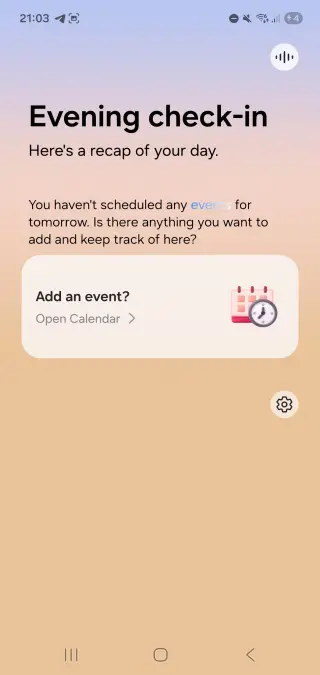
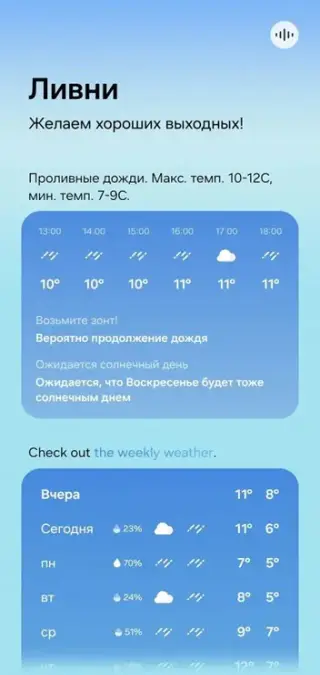
Samsung added the Now Bar and Now Brief features in One UI 7. With the One UI 9 update, the Now Bar is getting a new animation and a dark theme. As for the Now Brief, it is more colorful than before, and you can now choose which sections should appear in it. Now Brief is also getting a weekly weather widget showing the weather for the upcoming week.
4. Tap to Share
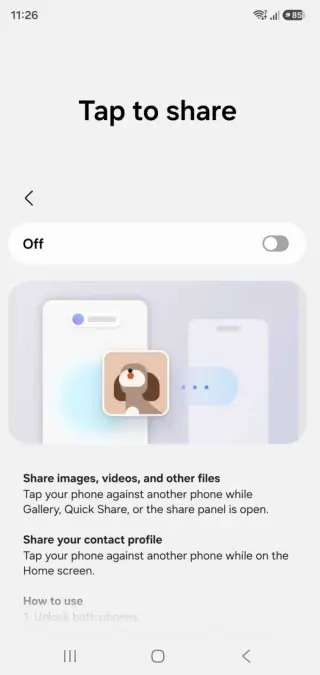
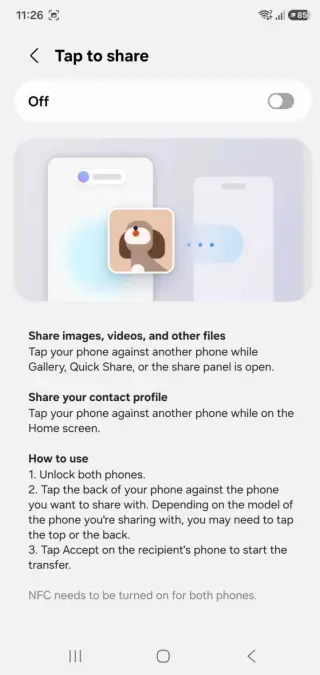
Samsung’s much-awaited Airdrop rival will debut with the One UI 9 update. Called Tap To Share, you need to tap your phone close to another device, and the files will be transferred. This feature will let you use NFC to transfer files between devices. And it’s not just limited to files, as you can also share contacts with integration into Quick Share.
5. New Bixby Widgets
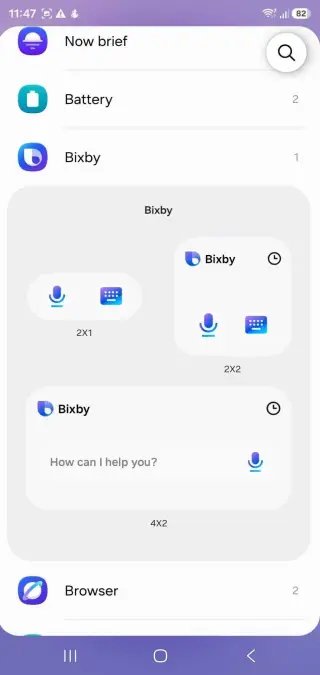
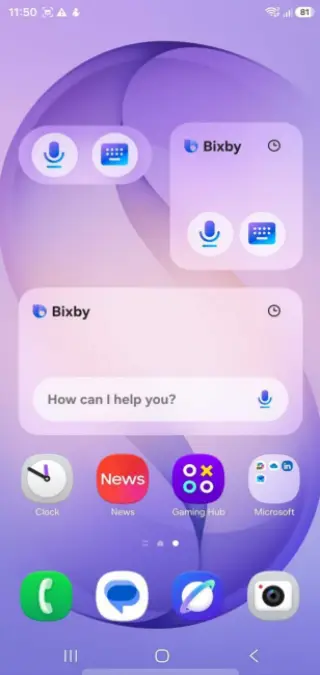
One UI 9 Update will introduce two new widgets for Bixby. Although these widgets are rather simple, with mic and keyboard icons offering quick access to the virtual assistant with mic and keyboard icons. You also get a larger 4 x 2 widget for text input and a microphone for voice queries.
6. Enhanced Security
Samsung is all set to introduce Memory Tagging Extension (MTE) in the One UI 9 update. This feature will enhance your security by identifying and fixing memory safety bugs. It’s already available on the Pixel devices. Although it isn’t always on, since it can reduce your phone’s performance. But don’t worry, MTE will be off by default in One UI 9, and you will need to toggle it on.
7. Visual Changes
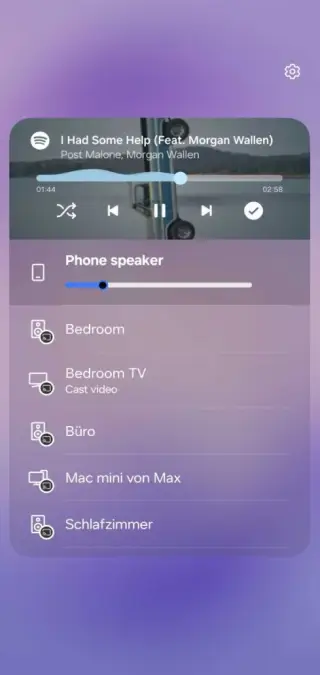
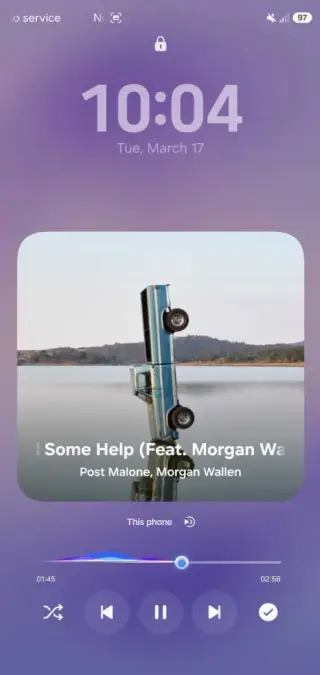
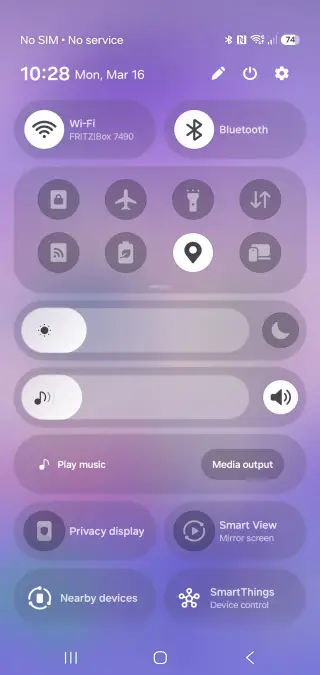
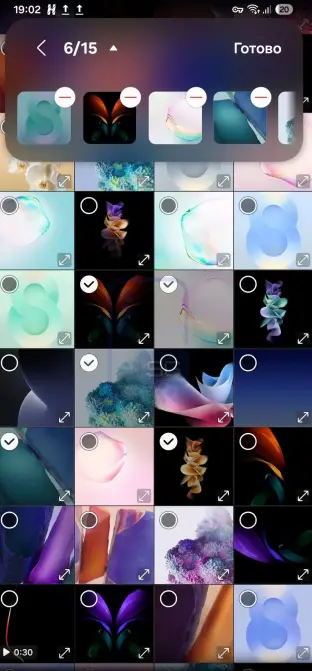
One UI 9 isn’t going to shake up Samsung’s UI drastically since One UI 8 and 8.5 already did that. Here are all the visual changes coming with the One UI 9 update:
- Brightness and volume slider: Thicker and wider in the quick settings compared to One UI 8.5
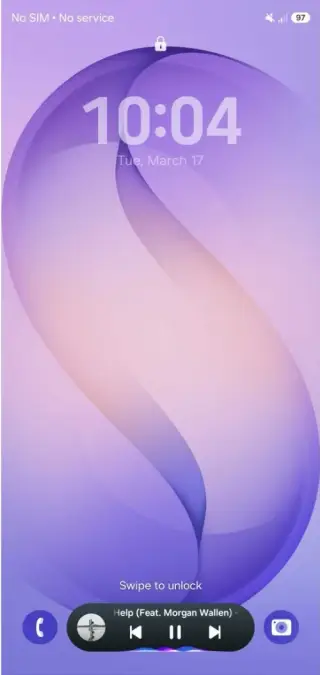
- Lockscreen Media Player: More colorful waveform bars. Option to cast audio directly from the lockscreen and control volume for connected devices.
- New Glass effect: Translucent glass effect similar to Liquid Glass sprinkled across the UI
- Samsung Internet: New compact search bar in floating layout. You can also open multiple browsers simultaneously, just like you do on a PC.
- Simplified Settings: The UI for switching between light and dark mode is now simplified. Also, the Galaxy AI section is now way cleaner as Samsung has removed the description for each feature.
- Redesigned About Phone: The About Phone now shows a render of the phone in the top left corner. The section is now more compact and shows the important details, such as IMEI, module number, etc, first.
- Rounded corners in Widgets: Widgets on the homescreen have now slightly rounded corners. This is visible in Now Brief, Weather, and the Samsung Browser widget.
- Improved Image Selection in Gallery: With the One UI 9 update, selecting multiple images in the gallery shows a rectangular box at the top. All images get added into the box with a preview of these images
8. New AI Features
With Samsung dubbing the S26 as the “Agentic AI” phone, it’s no surprise that the One UI 9 update is filled to the brim with AI features. Here are all the AI features coming with the update:
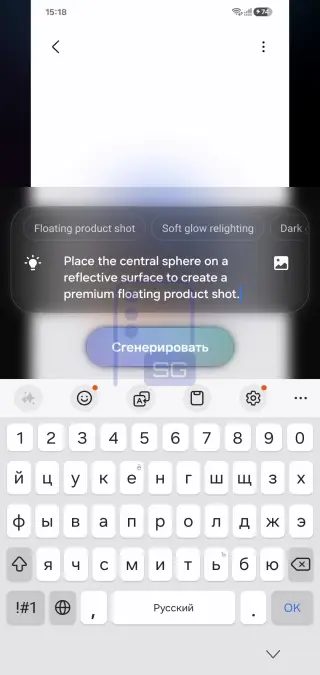
- Photo Assist: A new Create feature in Photo Assist can suggest creative ways to transform your photos after analyzing them.
- Audio Eraser: Audio Eraser is now available across all media apps that can play a video.
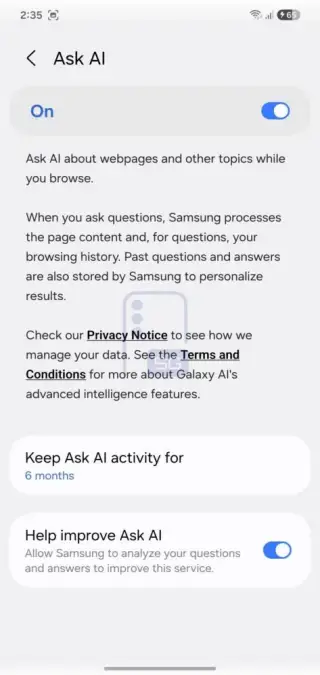
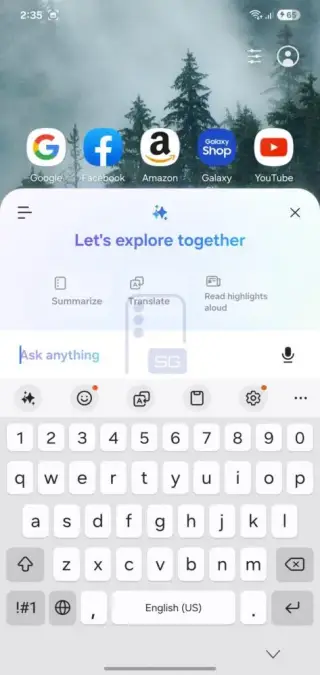
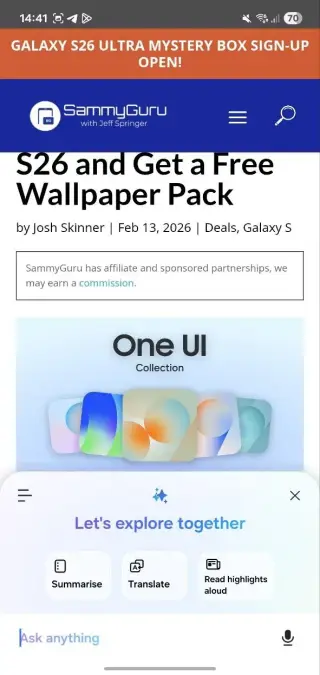
- Ask AI: With Ask AI in Samsung Internet, you can ask questions about a webpage that is open in your browser. It can analyze your browsing history and the contents of the page to provide answers. It can store data up to 6 months or only for the current session.
Also Read:
- Android 17 Update On Google Pixel: Eligible Devices, Features, And Release Date
- OxygenOS 17 Update: Release Date, Eligible Devices, and Features
- Xiaomi HyperOS 3.1 Update: Eligible Devices, Release Date, and Features
9. New Warranty And Care App
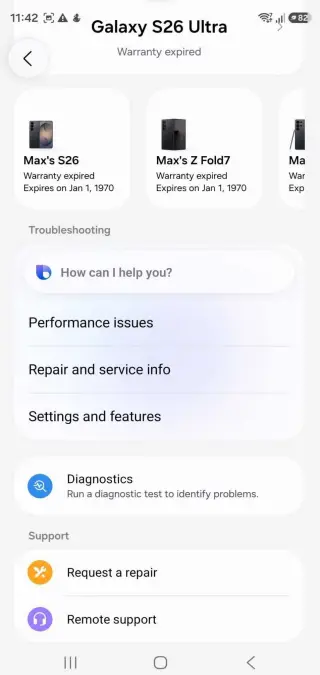
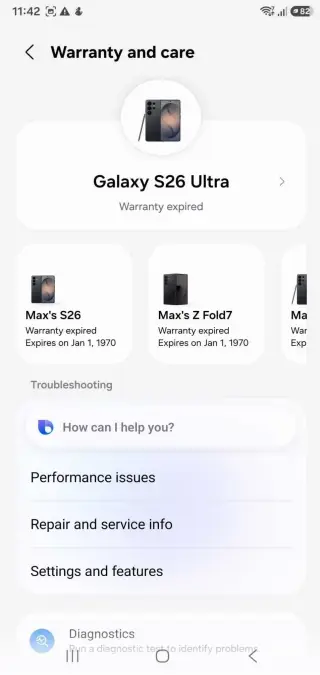
The One UI 9 update adds a new Warranty and Care menu in the Settings. Here you can check everything for your device. Furthermore, this includes details for warranty, repair info, diagnostic tools, and remote assistance. You can also use Bixby for troubleshooting issues.
10. Ability To Lock Apps
A feature that Samsung fans have been requesting for ages could finally arrive in One UI 9. Rumoured to be released since One UI 7, the app lock feature will allow users to secure their apps. With Google implementing a simple app lock in Android 17 and iOS users already having one, Samsung could adopt the same for its users.
11. New Accessibility Features
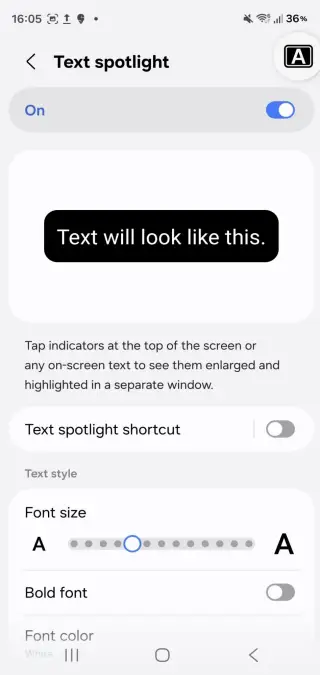
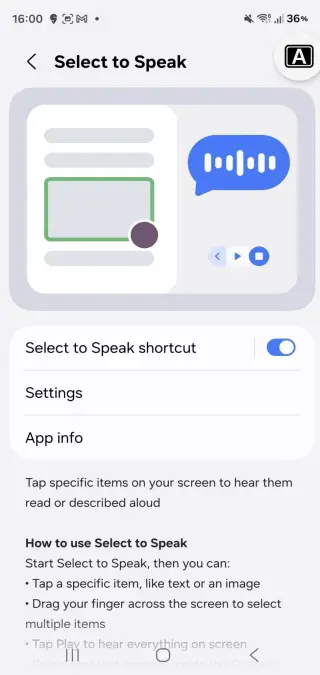
One UI 9 update adds six new accessibility features:
- Select to Speak: It lets you tap on any text, and it reads it out loud. Similarly, the Text Spotlight increases the size of the text so you can read it clearly.
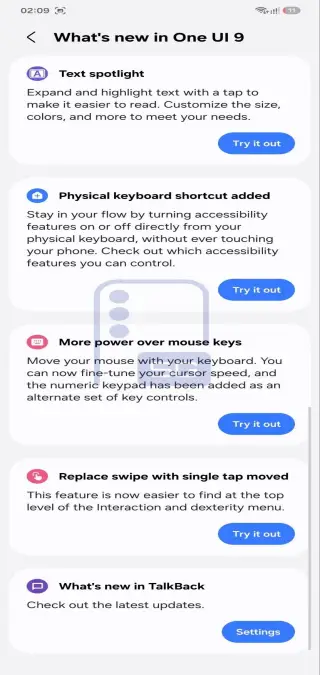
- Text Spotlight: You can expand and highlight any text with a single tap. It even lets you tweak the colors, size, and more based on your requirements.
- Shortcut for Physical Keyboard: You can toggle accessibility features from your physical keyboard without interacting with your phone.
- Control mouse with keyboard: It lets you control your mouse cursor with your keyboard. You can choose the cursor speed and the numeric keypad.
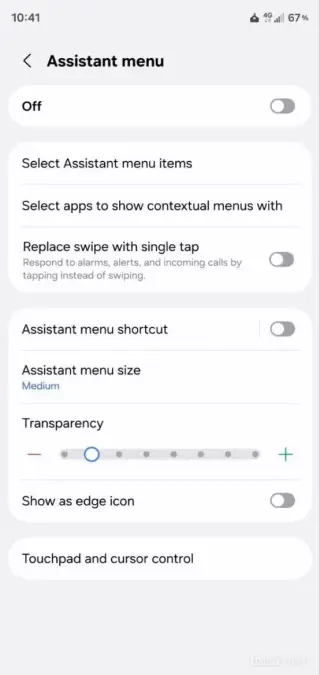
- Replace Swipe with single tap: This feature is now present at the top of the interaction and dexterity menu.
- Talkback: While not explicitly mentioned, Samsung is bringing changes to Talkback that could help in better navigation.
12. New Features In Samsung Notes
The One UI 9.0 update adds a new Tape feature, which, as the name suggests, adds a decorative tape over the text. This can be used to hide certain parts of the text. The app also offers new pen styles for drawing and writing.
13. Other Changes
Here are all the minor yet noticeable changes coming with the One UI 9 update:
- Parental Control Section: One UI 9 update adds a new section for parental control. It was previously found in the Digital Wellbeing section in previous OneUI iterations.
- Contacts Picker: Just like the Photo and File picker, the One UI 9 update will let you share only select contacts with the app.
- Satellite Connectivity Support: One UI 9 will offer support for direct satellite connectivity in case networks are unavailable, thanks to native Android 17 support.
- Improved Ultrawide Band: You can now measure distance between devices more accurately with Ultrawide Band (UWB) support.
- Native Gamepad Support: One UI 9 will have native gamepad support, letting you customize the functionality of your controller.
- Support for wider screens: Samsung’s next update will add support for wider displays with a 4:3 aspect ratio. This should particularly help with the launch of the Galaxy Z Wide Fold spotted in the One UI 9 beta.
- Auto Hide Status Bar and Task Bar in DeX: You can now hide the status bar and task bar while using Samsung DeX. Also, the UI for adding new Desktops in DeX has been overhauled.
- Precise Location permission: The pop-up for location permission has been changed. It now has squared, rounded corners
- Game Booster: The Game Booster now has a shortcut to settings, letting you change things like screenshot resolution and placement of the booster without leaving the game
- Creative Studio in Contacts: One UI 9 update brings Creative Studio in contacts letting you customise profile cards within the app itself.
One UI 9 Update Eligible Devices
One UI 9 update based on Android 17 is set to roll out later this year. With Samsung offering 7 years of updates to its flagships and 6 years to its mid-rangers, most users should get it. Sadly, One UI 9 will be the last update for the S23 lineup since it has 4 years of support. Although Samsung has yet to officially reveal the eligible device, we can anticipate it based on the company’s update policy:
| Series | Model |
|---|---|
| S Series | Galaxy S23, Galaxy S23 Plus,Galaxy S23 Ultra, Galaxy S24, Galaxy S24 Plus, Galaxy S24 Ultra, Galaxy S25, Galaxy S25 Plus, Galaxy S25 Edge, Galaxy S25 Ultra ,Galaxy S26, Galaxy S26 Plus, Galaxy S26 Ultra |
| Z Series | Galaxy Z Flip 5, Galaxy Z Flip 6, Galaxy Flip 7, Galaxy Z Fold 5, Galaxy Z Fold 6, Galaxy Z Fold 7, Galaxy Z Fold Special Edition, Galaxy Z TriFold |
| FE Series | Galaxy S23 FE,Galaxy S24 FE, Galaxy S25 FE, Galaxy Z Flip 7 FE |
| A Series | Galaxy A06 5G, Galaxy A07 (4G, 5G), Galaxy A15 (4G,5G), Galaxy A16 (4G, 5G), Galaxy A17, Galaxy A24 (4G,5G), Galaxy A25, Galaxy A26, Galaxy A34, Galaxy A35, Galaxy A36,Galaxy A37, Galaxy A54. Galaxy A55, Galaxy A56, Galaxy A57 |
| M Series | Galaxy M06, Galaxy M15, Galaxy M16, Galaxy M34,Galaxy M54, Galaxy M55, Galaxy M55s, Galaxy M56, Galaxy M17e |
| F Series | Galaxy F06, Galaxy F15, Galaxy F16, Galaxy F34, Galaxy F36, Galaxy F54, Galaxy F55, Galaxy F56, Galaxy F70e |
| XCover | Galaxy XCover 7 |
| Tab Series | Galaxy Tab S9, Galaxy Tab S9 Plus, Galaxy Tab S9 Ultra, Galaxy Tab S10, Galaxy Tab S10 Plus, Galaxy Tab S10 Lite, Galaxy Tab S11, Galaxy S11 Ultra |
| Tab FE Series | Galaxy Tab S9 FE, Galaxy Tab S9 FE Plus, Galaxy Tab S10 FE, Galaxy Tab S10 FE Plus |
| Tab Active and A Series | Galaxy Tab A11, Galaxy Tab A11+, Galaxy Tab Active 5, Galaxy Active 5 Pro |
One UI 9 Update Beta: When Is It Coming?
Samsung has started the rollout for One UI 9 beta to users in select markets. It will be available to users in Germany, India, Korea, Poland, UK and US. Currently, Samsung Galaxy S26 users can opt in for the beta using the Samsung Members app. The One UI 9 beta update will roll out starting from May 26 with Poland and India being a part of the second wave of countries. Currently only the Galaxy S26 series is eligible for the update.
One UI 9 Update Release Date
The stable version of the One UI 9 update is expected to go live in July 2026. Samsung has revealed that the next generation Z Fold series will be the first to get the One UI 9 update. These are expected to be the Galaxy Z Flip 8, Z Fold 8, and Z Fold. They will also be the first devices to ship with Gemini Intelligence out of the box. While these will be the first devices to launch with One UI 9 out of the box, the rest of the Galaxy family will need to wait till August for the rollout to begin.
FAQs
1. When is One UI 9 Update Coming Out?
The One UI 9 update will roll out in July 2026, and Galaxy Z Fold 8, Z Flip 8, and Z Fold Wide will be the first to launch with it.
2. Is My Samsung Phone Eligible for the One UI 9 Update?
If you have been rocking a S23 or newer Samsung phone, you are likely to receive the update. Check the list above for the complete list.
3. When is the One UI 9 Beta Update Coming?
The testing for One UI 9 is set to begin in May 2026 for the S26, S25, and S24 series of devices.
4. Which is the biggest feature of the One UI 9 update?
The One UI 9 update is coming with features like Tap To Share, Now Nudge, improved visuals, better Now Brief, and more.