



Best Budget Gaming Laptops for Different Segments (March 2026)
Summary
- In this era of chip and memory shortage, getting a good gaming laptop can be an expensive hobby
- This is where budget laptops come in offering you best bang for your buck
- From Acer Aspire 7 to GIGABYTE G6 KF , here are the best budget gaming laptops you can get right now
Gaming can be an expensive hobby, especially in this era of chip and memory shortages. But even in these testing times, you can get a pretty good gaming laptop for ₹60,000 to ₹80,000. In 2026, this budget no longer buys you entry-level performance; it unlocks serious gaming machines. Whether you’re a student looking to dominate in Valorant or a budding creator needing the multi-core muscle of an Intel Core i7 13620H, these laptops can deliver great performance without breaking the bank. Here are the best budget gaming laptops priced between ₹60,000 and ₹80,000.
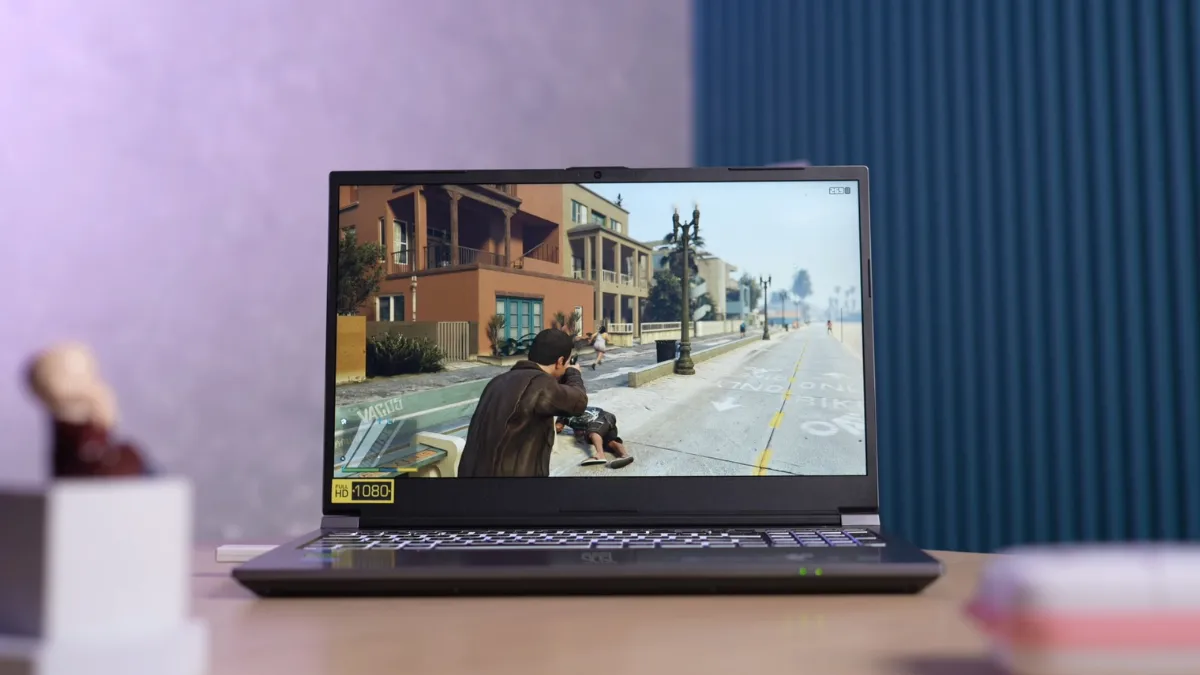
What to Look for in Budget Gaming Laptops – Buyers Guide
- GPU: When buying a budget gaming laptop, you will see options with GPUs from both AMD and NVIDIA. AMD GPUs have Radeon and start with RX, while NVIDIA GPUs have RTX in their name. Generally, you will find RTX 30 series GPUs in the budget segment, with RTX 40 and RTX 50 series being offered as you go up the price ladder. With RTX 40 and 50 series cards, you get DLSS frame generation, letting you use AI to double your frame rates.
- Processor Generation: Newer-generation Intel Core i5 (e.g., 14th Gen) frequently outperforms an older 11th Gen i7. Prioritize “HX” or “HS” series processors for the best balance of multi-core performance and thermal efficiency.
- GPU VRAM: While you will find plenty of GPUs with 4GB of VRAM, it’s better to opt for atleast 6GB or 8GB VRAM options if you want to play more than just competitive titles. 4GB variants are still available in the sub-60K range, but they are outdated for modern AAA titles and can lead to texture pop-in or stuttering.
- RAM Type and Configuration: 16GB RAM is the minimum you should go for in 2026. Due to the ongoing chip shortage, you will find laptops with 8GB of RAM; avoid them unless they offer expandable RAM slots. Make sure to opt for a laptop with the latest DDR5 RAM type with a minimum speed of 4800MHz.Also, ensure the laptop uses dual-channel memory (e.g., 2 x 8GB) rather than a single 16GB stick, as single-channel configurations can reduce gaming performance by 15–25 percent.
- Thermal Management: Good cooling is crucial for a gaming laptop to prevent thermal throttling. Consider a laptop with large vents for air intakes and thermal software. You will also need to maintain your laptop by replacing its thermal paste from time to time.
- GPU TDP (Thermal Design Power)/TGP (Thermal Graphics Power): TDP or TGP refers to the total power drawn by the GPU. A GPU is only as powerful as the wattage it is allowed to draw. For example, an RTX 4060 with a 140W TGP will significantly outperform a 75W TGP variant of the same card. Always check the TGP, as it dictates sustained clock speeds under heavy load.
Our Recommendations
| Gaming Laptop | Pros | Cons | Buying Link |
|---|---|---|---|
| Acer SmartChoice ALG (AL15G-53) | -Premium metal build -Only laptop with 13th Gen i5 in this range -RTX 3050 with 6GB VRAM and 75W TDP -Smooth 144Hz refresh rate -Upgradable RAM and SSD slots | – Display is average with 62.5 percent sRGB – Gets hot during heavy workloads – Average battery life, lasts around 3 hours – Speakers sound muffled – No USB-C charging support | Buy on Amazon |
| Acer Aspire 7 (A715-79G) | – One of the few laptops with 14th Gen Intel Core i5 processor – Discreet design that blends into everyday usage – DLSS frame generation support with RTX 4050 for smoother gameplay – Upgradeable RAM and storage slots | – Average display with 62.5 percent sRGB coverage – Mediocre 720p camera – Build quality feels average and cheap – Uses older DDR4 RAM instead of DDR5 | Buy on Flipkart |
| GIGABYTE G6 KF-H3IN893KH | – RTX 4060 with 8GB of VRAM makes it the most powerful laptop in this range – 165Hz refresh rate is perfect for those competitive titles – 16:10 aspect ratio offers more space for coding and browsing – One of the few Intel Core i7 laptops in this price range – Wide range of ports, including a microSD card slot | – 75W TDP is lower than that of other 4060-powered laptops – The plastic build feels cheap compared to other laptops – Only 65 percent sRGB coverage is average for the price – 54Wh battery lasts only 3 hours – Tends to heat up during intense gameplay | Buy On Flipkart |
1. Best Budget Gaming Laptop Under ₹60,000
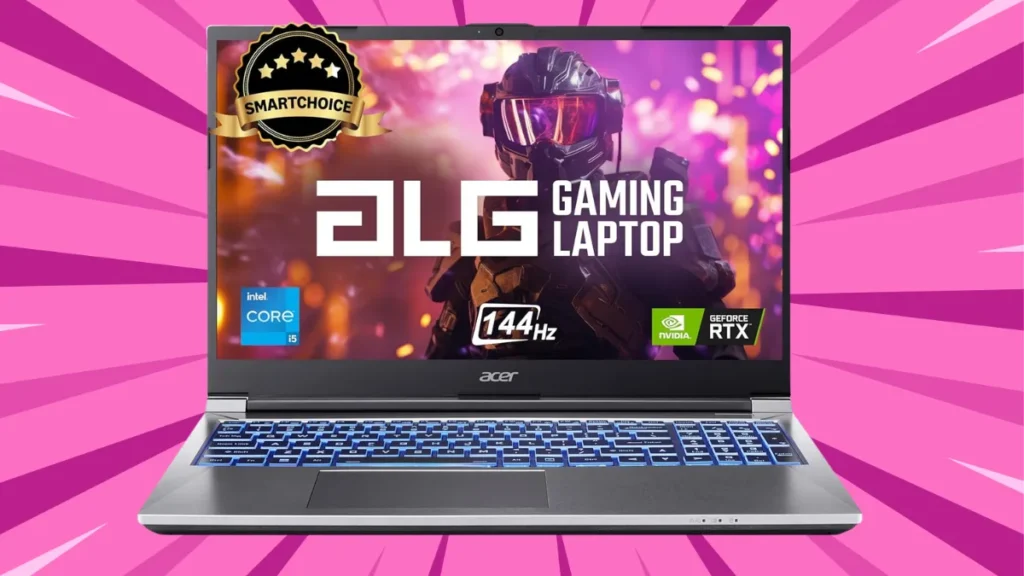
| Feature | Details |
| Price | ₹80,999 (Usually available under ₹60,000 in sale) |
| Processor | 13th Gen Intel Core i5-13420H (8 Cores: 4P cores and 4 E Cores, up to 4.6GHz) |
| Graphics | NVIDIA RTX 3050 (6GB GDDR6) |
| GPU TGP | 75W |
| RAM / Storage | 16GB DDR4 (Upgradable to 64GB) / 512GB NVMe Gen4 SSD |
| Display | 15.6″ FHD (1920×1080) IPS, 144Hz, 62 percent sRGB |
| Ports | 1 x USB 2.0 port, 3 x USB 3.2 Type-A |
| Weight | 1.99 kg |
| Battery | 4-cell, 54Wh Li-Polymer |
Why We Recommend It:
We recommend the Acer ALG for its balance of portability and professional aesthetics. While it’s currently around ₹80,000, you can grab it under ₹60,000 during sales. It is one of the few laptops to feature a 6GB RTX 3050 and a 75W TGP, offering good performance. The design looks classy, and it has a premium metal body. You get an upgradeable RAM and storage slot, so you can upgrade it down the line once the chip shortage is over.
Who Should Buy It:
The Acer Aspire ALG is made for those who need a dual-purpose machine that won’t look out of place in a meeting but can handle 1080p gaming during breaks. It can easily play competitive titles such as CS2, Valorant, and Overwatch 2 at a smooth 144Hz. You can also play some AAA titles like Cyberpunk and GTA with DLSS upscaling. And unlike other budget gaming laptops, you get the latest 13th Gen i5 13420H, which is good for the price. The H series chip can easily handle 4K video editing with complex timelines. The thermals are good with the laptop generally hovering around 50 to 70 degrees during casual usage
Who Shouldn’t Buy It:
If you want to do complex photo or video editing, the Acer Aspire ALG isn’t for you. For starters, you get a 62.5 percent sRGB coverage on the display, so it isn’t very color accurate. The laptop gets pretty hot too during an intense workload, reaching up to 90 degrees. The battery life is average, lasting around 3 hours, and the speakers’ sound is muffled.
| Pros | Cons |
|---|---|
| Premium metal build | Shift key on the right feels small |
| Only laptop with 13th Gen i5 in this range | Gets hot during heavy workloads |
| RTX 3050 with 6GB VRAM and 75W TDP | Average battery life, lasts around 3 hours |
| Smooth 144Hz refresh rate | Speakers sound muffled |
| Upgradable RAM and storage slots | No USB-C charging support |
2. Best Budget Gaming Laptop Under ₹70,000
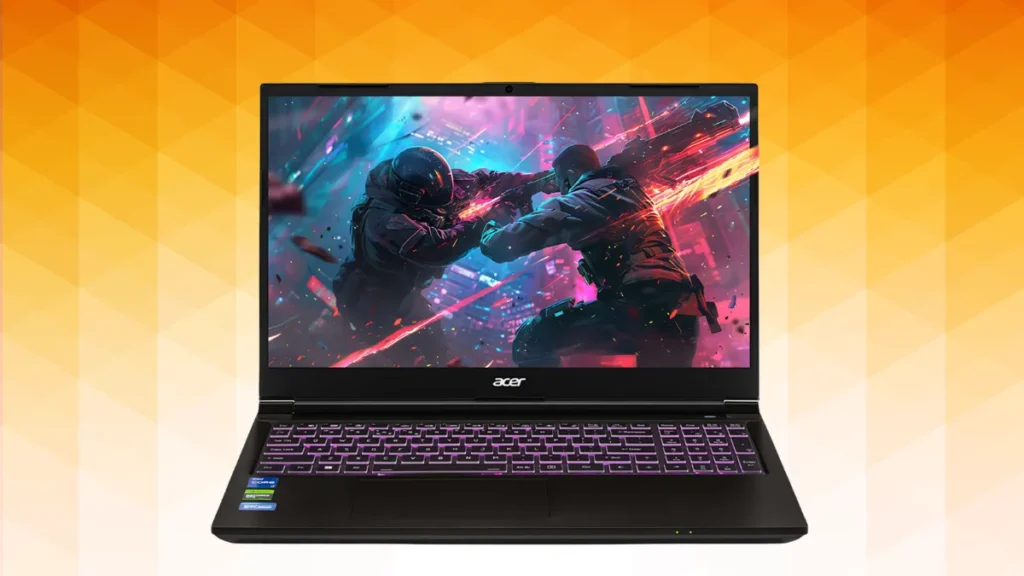
| Feature | Details |
| Price | ₹73,990 (available under ₹70,000 with offers) |
| Processor | Intel Core 5 210H (8 Cores, up to 4.8GHz) |
| Graphics | NVIDIA RTX 4050 (6GB GDDR6) |
| GPU TGP | 75W |
| RAM / Storage | 16GB DDR4 (Upgradable to 32GB) / 512GB NVMe SSD |
| Display | 15.6″ FHD (1920×1080) WVA, 144Hz, 65 percent sRGB |
| Ports | 1 x USB 2.0 Type-A port, 1 x USB 3.2 Type-A port, 2 x USB 3.2 Type-C port, HDMI, |
| Weight | 1.99 kg |
| Battery | 54Wh |
Why We Recommend It:
The Acer Aspire 7 is the cheapest budget gaming laptop you can get with an RTX 4050 and the latest Intel 14th Gen i5 chipset. You will usually see this processor in laptops in the ₹80-85 price segment. This makes it ideal for all those single-core and AI-related tasks that are dependent on the CPU. While it currently costs ₹73,990, you can easily get it under 70K with card offers.
Who Should Buy It:
The Acer Aspire 7 caters to all those engineering and CS students who want a capable 8-core CPU but also want to play games. The RTX 40 series GPU can easily handle all those ML and rendering tasks, and the discreet design easily blends into your everyday carry. You also get slots for RAM and storage expansion apart from the necessary ports.
Who Shouldn’t Buy It:
Just like other budget gaming laptops, the display is average and isn’t suited for video/photo editing since it only covers 62.5 percent of the sRGB color gamut. The build quality also feels cheap and the front camera isn’t the sharpest. Also, the fan can be quite noisy when dealing with intense workloads. Last but not least, it uses older DDR4 RAM instead of the latest DDR5 RAM type.
| Pros | Cons |
|---|---|
| One of the few laptops with 14th Gen Intel Core i5 processor | Average display with 62.5 percent sRGB coverage |
| Discreet design that blends into everyday usage | Mediocre 720p camera |
| DLSS frame generation support with RTX 4050 for smoother gameplay | Build quality feels average and cheap |
| Upgradeable RAM and storage slots | Uses older DDR4 RAM instead of DDR5 |
Also Read:
- Best Compact Phones in 2026: Powerful Flagships That Fit Your Hand
- How AI is Killing Your Wallet: All Smartphone Price Hike Revealed
3. Best Budget Gaming Laptop Under ₹80,000
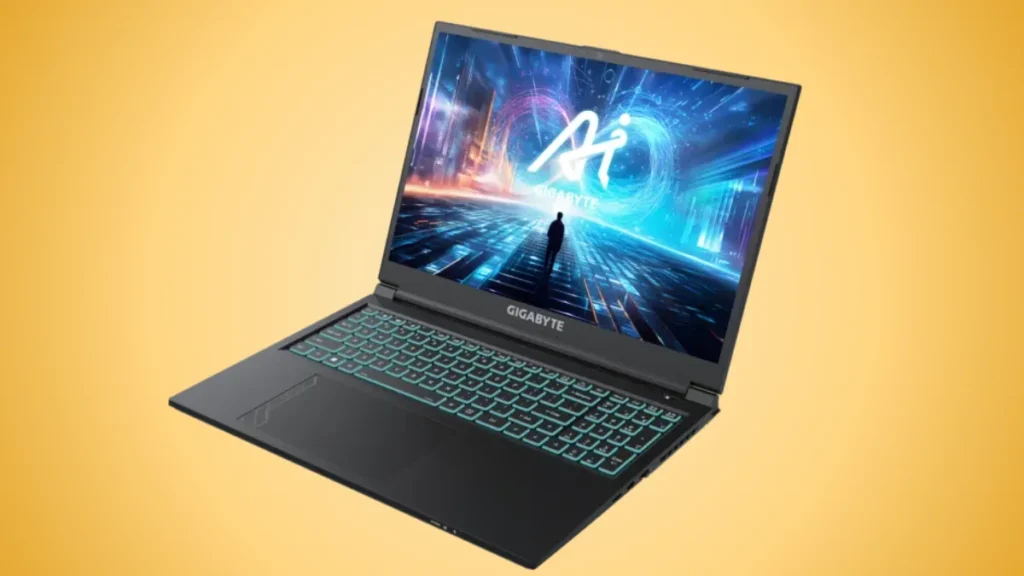
| Feature | Details |
| Price | ₹77,990 |
| Processor | Intel Core i7-13620H (10 Cores: 6 P cores and 4 E cores, up to 4.9 GHz) |
| Graphics | NVIDIA RTX 4060 (8GB GDDR6) at 2010MHz |
| GPU TGP | 75W |
| RAM / Storage | 16GB DDR5-4800 MHz (2x8GB) / 512GB NVMe Gen4 SSD |
| Display | 16″ 16:10 FHD+ (1920×1200), 165Hz, IPS-level, 65 percent sRGB |
| Weight | 2.3 kgs |
| Battery | 54Wh Li-Ion |
| Ports | 1x USB 2.0, 1 x USB 3.2 Gen 1, 1x USB 3.2 Ge 2, HDMI |
Why We Recommend It:
The GIGABYTE G6 is the cheapest laptop you can buy right now with an RTX 4060 GPU. The RTX 4060 has 8GB of VRAM and 75W TDP. This gives you a major leeway over the RTX 4050 and RTX 3050 found in the Acer Aspire 7 and Acer SmartChoice ALG. Not just that, you get an equally powerful Intel Core i7 13620H, letting you perform tasks like 4K video editing with ease. With a competent GPU and CPU, you can also use this laptop for tasks like coding, web development, and running lightweight LLM models.
Who Should Buy It
The GIGABYTE G6 is a budget gaming laptop made for serious gamers who want the best possible performance under 80K. Apart from handling the latest AAA titles, it can also play competitive games at a smooth 165Hz. With a 16:10 aspect ratio, you can multitask better with the added real estate. Also, the RAM is upgradeable up to 64GB, while you can expand the storage up to 4 TB. It offers the best price-to-performance ratio on a laptop under ₹80,000.
Who Shouldn’t Buy It:
The GIGABYTE G6 KF isn’t made for content creators, as the panel only covers 65 percent of the sRGB colour gamut. The brightness peaks out at 200-300 nits, so it’s hard to view it under harsh sunlight. The build quality also feels cheap due to the plastic materials used. Another annoyance is the 54Wh battery, which lasts approximately 3 hours. Some users have also reported heating issues in intense games, so you will need to use a cooling pad with it.
| Pros | Cons |
|---|---|
| RTX 4060 with 8GB of VRAM makes it the most powerful laptop in this range | 75W TDP is lower than that of other 4060-powered laptops |
| 165Hz refresh rate is perfect for those competitive titles | The plastic build feels cheap compared to other laptops |
| 16:10 aspect ratio offers more space for coding and browsing | Only 65 percent sRGB coverage is average for the price |
| One of the few Intel Core i7 laptops in this price range | A 54Wh battery lasts only 3 hours |
| Wide range of ports, including a microSD card slot | Tends to heat up during intense gameplay |
That’s it, folks. If you are using any of these laptops or if you have a good budget gaming laptop to suggest, you can drop your comments on our X account.