


OxygenOS 17 Update: Release Date, Eligible Devices, and Features
Summary
- With Android 17 set to release this summer, OnePlus OxygenOS 17 is right around the corner
- It will bring features such as Lockscreen Island, smoother animations and ability to share calls with iPhone
- Here is everything you need to know about the upcoming OxygenOS 17 update
Update: We last updated this article on OxygenOS with details for the OxygenOS 16 update on May 18, 2026
OxygenOS is currently one of the smoothest software skins out there. It remains unmatched in terms of fluidity, stability, and features, putting it very close to Samsung’s One UI. This GOAT-tier software skin is only improving with every update. Before we get started, let’s take a look at what’s new in OxygenOS 16.
What’s New In OxygenOS 16?
OnePlus recently rolled out OxygenOS 16.07 and 16.0.5 updates for its devices. However, it soon ran into major trouble as users started reporting random restarts and bootloop issues. OnePlus has acknowledged the issue and claims it affects a small number of devices. It has now paused the rollout of the update to “ensure device stability and protect user experience”. A user on the OnePlus community reported that his OnePlus 15 randomly rebooted during a voice recording, with others voicing similar issues in the comments. The company further mentions that it is working on the issue with “highest priority” and the rollout will resume once builds have been thoroughly tested. The following devices have been affected by the update:
- OnePlus 15
- OnePlus 15R
- OnePlus 13
- OnePlus 13s
- OnePlus 13R
- OnePlus 12
- OnePlus 12R
- OnePlus Nord 5
- OnePlus Nord CE 5
Should You Update?
Well, at this point, we don’t recommend updating your OnePlus phone until the issue has been actively fixed. OnePlus has promised to share updates on its official channels. In any case, the update has been paused, so it’s unlikely that you will be getting it. To be on the safe side, it’s best to wait and watch until the situation resolves. I have updated my OnePlus 15R to OxygenOS 15.05, but I haven’t experienced any issues yet. Still, I don’t recommend that you update until further announcements by the company.
OxygenOS 17 Update
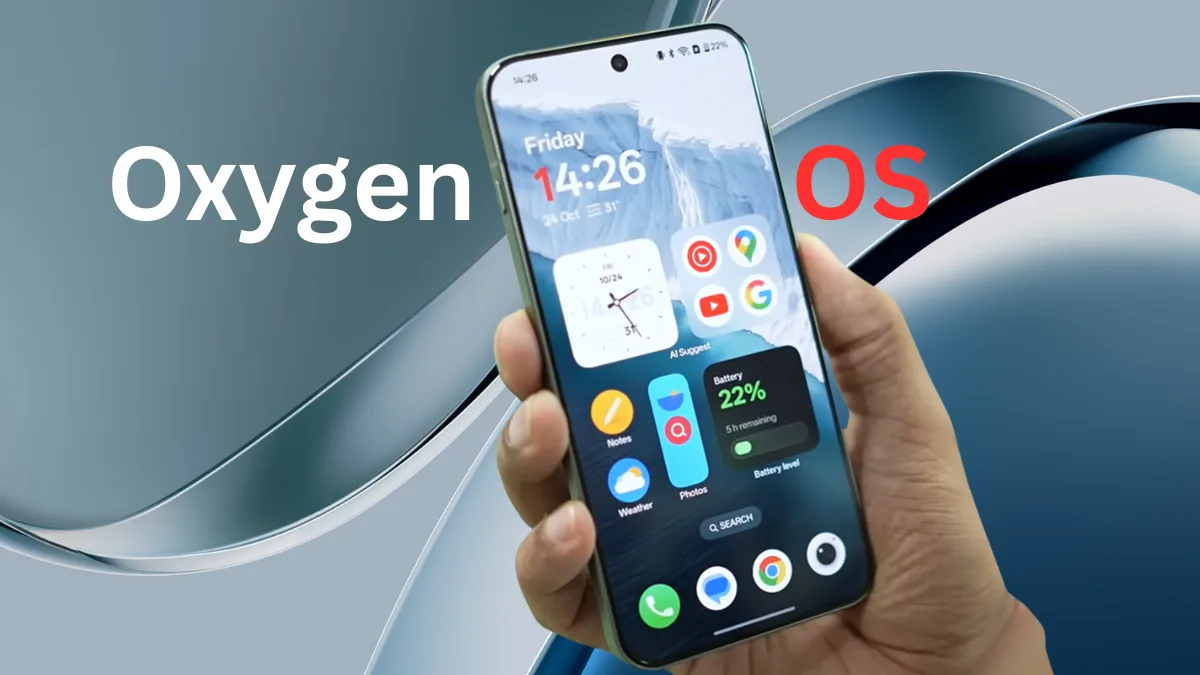
With Android 17 set to release this summer, OnePlus’s Oxygen 17 update is also right around the corner. Here is everything you need to know about the OxygenOS 17, including features, release date, and eligible devices.
OxygenOS 17 Update Features
1. Airdrop Support in Quick Share
With the OxygenOS 17 update, you can directly share files between your OnePlus phone and iPhone using Quickshare. It will work similarly to Pixel and Galaxy phones since Google has added AirDrop compatibility to QuickShare. This will drastically improve the interoperability between OnePlus and iPhone users.
2. Lockscreen Island
Just like One UI’s Nowbar, the OxygenOS 17 update brings a new Lockscreen Island feature. A small pill-shaped bar will appear at the bottom of the lockscreen. It will show details such as media playback, ongoing calls, sports scores, navigation updates, and more. With Dynamic Island copied from iOS and Nowbar from One UI, OnePlus seems to be offering the best of both worlds.
3. Colored Widgets On Always On Display
OxygenOS 16 brought full-screen Always On Display, and the OxygenOS 17 update takes it a step further. If you have full-screen AOD enabled, you will now notice that the widgets are colored. They use the same gradient color as your lock screen wallpaper, making them easier to distinguish.
4. Home Screen Organization
OxygenOS 17 update also lets you better organize your homescreen layout. You can long-press on the homescreen to choose from any of the three options:
- By category: AI will analyze the screen and sort the homescreen icons into different categories, such as gaming, finance, work, etc.
- By color: Homescreen will be organized based on the color of the icon. Example: All red icons in one folder, all yellow icons in one folder, and so on. It will add icons to the homescreen based on the wallpaper.
- By layout history: Lets you choose from previous homescreen layouts.
5. Expanded Notifications
Currently, OxygenOS 16 shows you collapsed notifications for all apps. With the OxygenOS 17 update, the first notification will be expanded while the rest will remain collapsed. It’s a welcome change that highlights the latest notification at the top. Right now, you need to expand the first notification while the rest remain collapsed.
6. Share Calls and Notifications With iPhone
With the new O+ connect app, you can share calls, messages, and notifications with your iPhone. This way, you can use your OnePlus phone as a companion device in the OxygenOS 17 update. It will work similarly to the communication sharing currently available on OnePlus tablets and phones.
7. Shift Towards Liquid Glass
With the OxygenOS 17 update, OnePlus is shifting towards a more transparent design with Liquid Glass elements in the quick settings and even in the wallpaper section. You will get new visual effects such as visual blur and contour glow. There’s also an animation blur option.
8. Improved Performance And Other Upgrades
The OxygenOS 17 update will bring visual and performance upgrades across the board. It will reduce frame drops, optimize CPU usage, and improve power efficiency. A new Gaussian blur effect will also be visible in the Photos app’s bottom bar. Another change is that the search bar in the homescreen now shows a list view when you search for an app. Last but not least, there’s a glow effect when you enter your PIN on the lockscreen.
Also Read:
- Origin OS 6 Update: Eligible Devices, Release Date, And Features
- Xiaomi HyperOS 3.1 Update: Eligible Devices, Release Date And Features
OxygenOS 17 Update Eligible Devices:
OnePlus is yet to announce the list of eligible devices for the OxygenOS 17 update. However, based on the update policy, the following devices are guaranteed to receive the update later this year:
| Series | Models |
|---|---|
| Number Series | OnePlus 11, OnePlus 12, OnePlus 13, OnePlus 15 |
| Foldable | OnePlus Open |
| S series | OnePlus 13s |
| R Series | OnePlus 12R, OnePlus 13R, OnePlus 15R |
| Nord Series | OnePlus Nord 4, OnePlus Nord 5, OnePlus Nord 6, OnePlus Nord CE 5 |
| Pad series | OnePlus Pad 4, OnePlus Pad 3, OnePlus Pad 2, OnePlus Pad Go 2 |
If you are using an older OnePlus device that is not present on this list, it’s time to upgrade if you wish to continue receiving software updates. Although chances are that your older OnePlus device will continue receiving security patches.
Oxygen OS 17 Release Date – When Is It Coming?
Although we don’t have the exact OxygenOS 17 update’s release date yet, it’s safe to assume that OnePlus will roll out the update soon after the official Android 17 release. That being said, Android 17 beta 2 is currently available for the OnePlus 15. Since OnePlus was one of the first companies to roll out Android 16 last year, we can expect OxygenOS 17 to arrive in June or July
FAQs
1. When Will My OnePlus Phone Get OxygenOS 17 Update?
OxygenOS 17 is expected to start rolling out in June or July for the OnePlus 15 series, followed by rollout for other series.
2. How To Update My Phone To OxygenOS 17?
Once the OxygenOS 17 update starts rolling out, you will be able to update your phone to the latest version. Just go to Settings > System and update > Software update and wait for the phone to check for updates. If an update is available, tap download and then restart your phone to install it.
3. What’s Changed In OxygenOS 17?
OxygenOS 17 brings subtle but noticeable changes across the board. You get a new Lockscreen Island, better homescreen customization, smoother animations, and Airdrop compatibility.